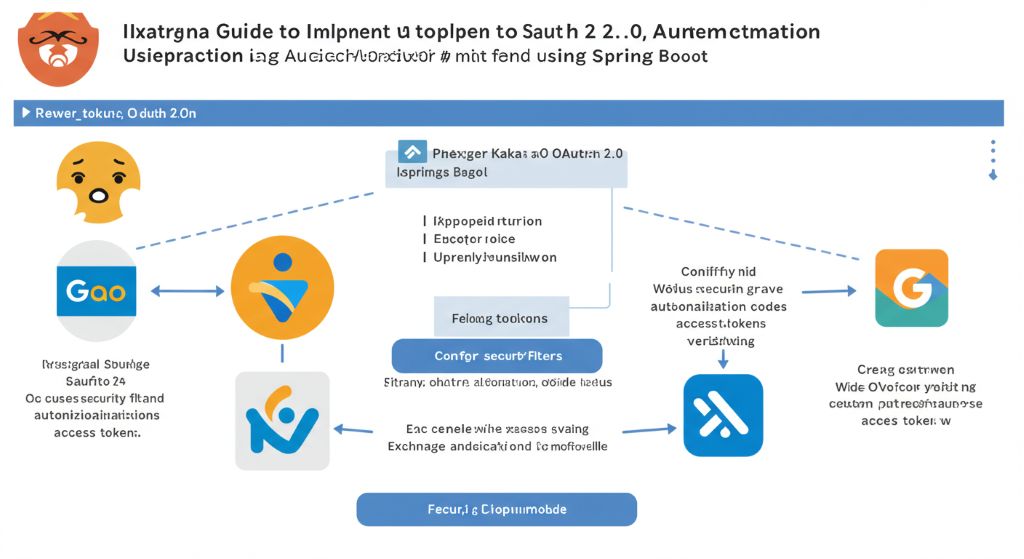
안녕하세요! 이번 글에서는 Spring Boot와 Spring Security를 활용하여 카카오, 네이버, 구글 소셜 로그인을 구현하는 방법을 정리해 보겠습니다. OAuth 2.0은 외부 서비스의 API에 접근하기 위한 권한 위임 프로토콜이며, 이를 통해 사용자는 자신의 정보를 직접 제공하지 않고도 편리하게 로그인할 수 있습니다.
1. OAuth 2.0 인증 흐름 이해하기
OAuth 2.0은 사용자, 클라이언트 애플리케이션, 리소스 서버, 인증 서버의 네 가지 주체 간의 상호작용으로 이루어집니다.
- 인가 코드 요청: 사용자가 클라이언트 애플리케이션에서 소셜 로그인 버튼을 클릭하면, 클라이언트는 인증 서버로 인가 코드(Authorization Code)를 요청합니다.
- 로그인 및 동의: 사용자는 인증 서버에서 로그인하고, 클라이언트가 요청하는 정보(스코프)에 동의합니다.
- 인가 코드 발급: 인증 서버는 사용자의 동의를 받아 클라이언트로 인가 코드를 전달합니다.
- 토큰 요청: 클라이언트는 전달받은 인가 코드와 함께 자신의 클라이언트 ID, 시크릿 키를 인증 서버에 보냅니다.
- 토큰 발급: 인증 서버는 모든 정보가 유효하면 **접근 토큰(Access Token)**을 발급합니다.
- 리소스 요청: 클라이언트는 발급받은 접근 토큰을 이용해 리소스 서버에 사용자 정보(프로필, 이메일 등)를 요청합니다.
- 리소스 반환: 리소스 서버는 토큰을 검증하고 사용자 정보를 클라이언트에 반환합니다.
2. Spring Security OAuth2 Client 설정
Spring Boot에서 소셜 로그인을 가장 쉽게 구현하는 방법은 Spring Security OAuth2 Client를 사용하는 것입니다.
의존성 추가 (build.gradle)
dependencies {
    implementation 'org.springframework.boot:spring-boot-starter-web'
    implementation 'org.springframework.boot:spring-boot-starter-oauth2-client'
    implementation 'org.springframework.boot:spring-boot-starter-security'
    implementation 'org.springframework.boot:spring-boot-starter-thymeleaf'
}
application.yml 설정
각 소셜 서비스의 개발자 센터에서 발급받은 client-id와 client-secret을 설정합니다. 리다이렉트 URI는 http://localhost:8080/login/oauth2/code/{provider} 형식으로 설정해야 합니다.
spring:
  security:
    oauth2:
      client:
        registration:
          google:
            client-id: ${GOOGLE_CLIENT_ID}
            client-secret: ${GOOGLE_CLIENT_SECRET}
            scope:
              - email
              - profile
          naver:
            client-id: ${NAVER_CLIENT_ID}
            client-secret: ${NAVER_CLIENT_SECRET}
            redirect-uri: '{baseUrl}/login/oauth2/code/naver'
            authorization-grant-type: authorization_code
            client-name: Naver
          kakao:
            client-id: ${KAKAO_CLIENT_ID}
            client-secret: ${KAKAO_CLIENT_SECRET}
            client-authentication-method: post
            authorization-grant-type: authorization_code
            redirect-uri: '{baseUrl}/login/oauth2/code/kakao'
            client-name: Kakao
        provider:
          naver:
            authorization-uri: https://nid.naver.com/oauth2.0/authorize
            token-uri: https://nid.naver.com/oauth2.0/token
            user-info-uri: https://openapi.naver.com/v1/nid/me
            user-name-attribute: response
          kakao:
            authorization-uri: https://kauth.kakao.com/oauth/authorize
            token-uri: https://kauth.kakao.com/oauth/token
            user-info-uri: https://kapi.kakao.com/v2/user/me
            user-name-attribute: id
주의: 네이버와 카카오는 Spring Security에서 기본적으로 제공하는 프로바이더가 아니므로, provider 설정을 직접 추가해야 합니다.
3. Security 설정 및 커스텀 유저 서비스
Spring Security 설정을 통해 OAuth2 로그인 페이지를 활성화하고, 커스텀 유저 서비스를 등록하여 사용자 정보를 처리합니다.
import org.springframework.context.annotation.Bean;
import org.springframework.context.annotation.Configuration;
import org.springframework.security.config.annotation.web.builders.HttpSecurity;
import org.springframework.security.web.SecurityFilterChain;
import static org.springframework.security.config.Customizer.withDefaults;

@Configuration
public class SecurityConfig {

    @Bean
    public SecurityFilterChain filterChain(HttpSecurity http) throws Exception {
        http.authorizeHttpRequests(authorize -> authorize
                .anyRequest().authenticated()
            )
            .oauth2Login(withDefaults());

        return http.build();
    }
}
이제 http://localhost:8080/oauth2/authorization/google와 같은 URL로 접속하면 각 소셜 서비스의 로그인 페이지로 리다이렉트됩니다.
4. 사용자 정보 처리하기
로그인 성공 후 사용자 정보를 가져오기 위해 커스텀 OAuth2UserService를 구현합니다.
import org.springframework.security.oauth2.client.userinfo.DefaultOAuth2UserService;
import org.springframework.security.oauth2.client.userinfo.OAuth2UserRequest;
import org.springframework.security.oauth2.client.userinfo.OAuth2UserService;
import org.springframework.security.oauth2.core.OAuth2AuthenticationException;
import org.springframework.security.oauth2.core.user.OAuth2User;
import org.springframework.stereotype.Service;

@Service
public class CustomOAuth2UserService extends DefaultOAuth2UserService {

    @Override
    public OAuth2User loadUser(OAuth2UserRequest userRequest) throws OAuth2AuthenticationException {
        OAuth2User oAuth2User = super.loadUser(userRequest);

        String registrationId = userRequest.getClientRegistration().getRegistrationId();

        if (registrationId.equals("kakao")) {
            // 카카오 사용자 정보 처리
            System.out.println("카카오 사용자 정보: " + oAuth2User.getAttributes());
        } else if (registrationId.equals("naver")) {
            // 네이버 사용자 정보 처리
            System.out.println("네이버 사용자 정보: " + oAuth2User.getAttributes());
        } else if (registrationId.equals("google")) {
            // 구글 사용자 정보 처리
            System.out.println("구글 사용자 정보: " + oAuth2User.getAttributes());
        }

        // DB 저장 로직 추가...

        return oAuth2User;
    }
}
Spring Security는 각 소셜 서비스의 사용자 정보 엔드포인트에서 받은 JSON을 자동으로 Map으로 변환하여 OAuth2User 객체에 넣어줍니다. 위 예시처럼 getAttributes()를 통해 정보를 추출하고, 필요에 따라 데이터베이스에 저장하는 로직을 추가할 수 있습니다.
5. 마치며
Spring Security를 활용하면 복잡한 OAuth 2.0 인증 과정을 직접 구현하지 않아도 간단한 설정만으로 소셜 로그인을 완성할 수 있습니다. 카카오, 네이버, 구글은 각기 다른 방식으로 사용자 정보를 반환하기 때문에, application.yml 설정과 CustomOAuth2UserService를 통해 이를 적절히 처리하는 것이 핵심입니다. 이 가이드를 통해 여러분의 프로젝트에 소셜 로그인 기능을 손쉽게 추가해 보세요! 🚀